Reaction Role Setup
TIP
Setup is done on the dashboard.
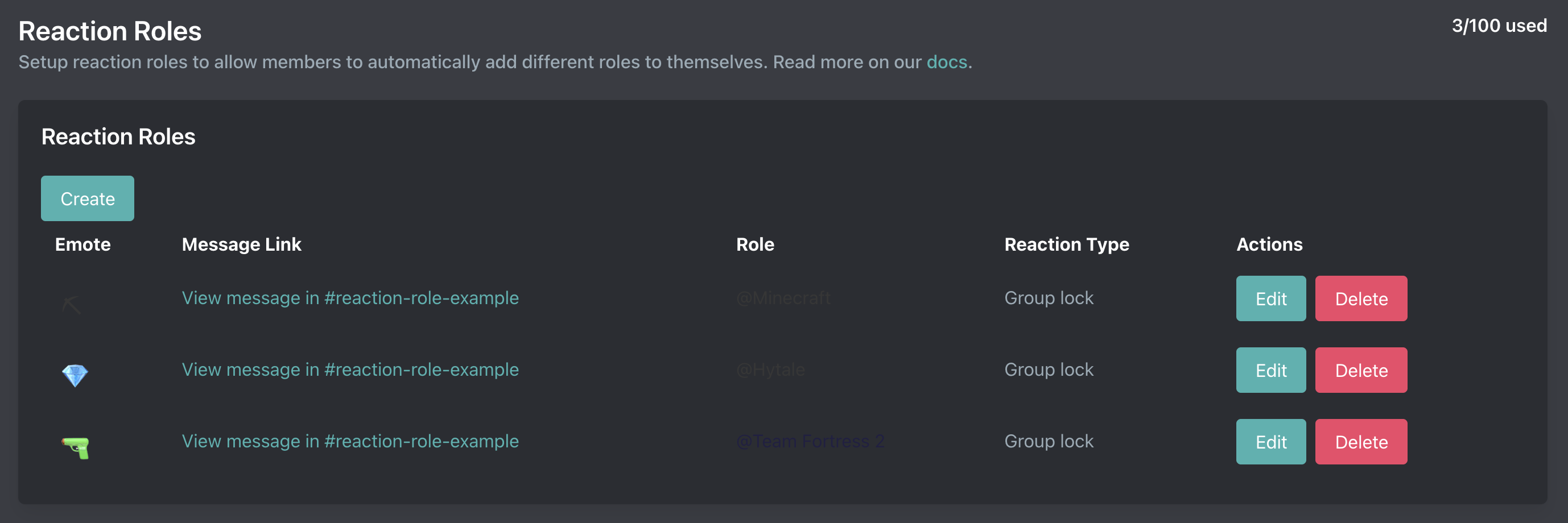
Reaction Roles
Reaction roles allow your members to select predefined roles by using reactions.
Types
| Name | Description |
|---|---|
| Default | React to add a role and remove reaction to remove a role |
| Toggle | Click reaction to add or remove the role. Arcane will remove the user's reaction |
| Group Lock | User can only have one role from all group lock roles on a message. Arcane will add the role for their latest reaction and remove the roles from previous reactions on the message |
| Persistent | React to add a role. Removing a reaction does nothing |
| Reverse | React to remove a role and remove a reaction to add a role. Opposite of the Default type. |
Limits
| Tier | Reaction Roles |
|---|---|
| Free | 10 |
| Premium | 100 |
Creating Reaction Roles
To create a reaction role you will need a message link or Arcane can send a message for you. You will then select your role(s) & the types of reaction role(s) you want to create.
Editing Reaction Roles
Once a reaction role is created you can edit the message, roles, or reaction role type by hitting the edit button. You can add additional roles by creating another reaction role with the same message link as showcased in the video below.
Deleting Reaction Roles
To delete a reaction role you can simply click the "Delete" button. You will need to remove the reactions from the message yourself. (or delete the message if it was the only reaction role)