Moderation Setup
Command Settings
Please refer to command settings for restricting command usage.
General Settings
TIP
Setup is done on the dashboard.

Moderation Log
Arcane will log mutes/timeouts, kicks, and bans in this channel. Arcane logs actions moderators take with Arcane's commands, other bots commands, or through the Discord UI.
Channel
Choose where you would like Arcane to send logs.
Type
Arcane can send logs in an embed or text format.
Default Ban Options
Ban Time
Choose how long Arcane will ban someone for if a time is not provided. This is useful if you do not want to permanently ban members from your server.
Delete Messsages
Choose how many messages you would like Arcane to remove when banning members.
Default Mute Options
Mute Time
Choose how long Arcane will mute someone for if a time is not provided.
Auto Moderation
TIP
Setup is done on the dashboard.
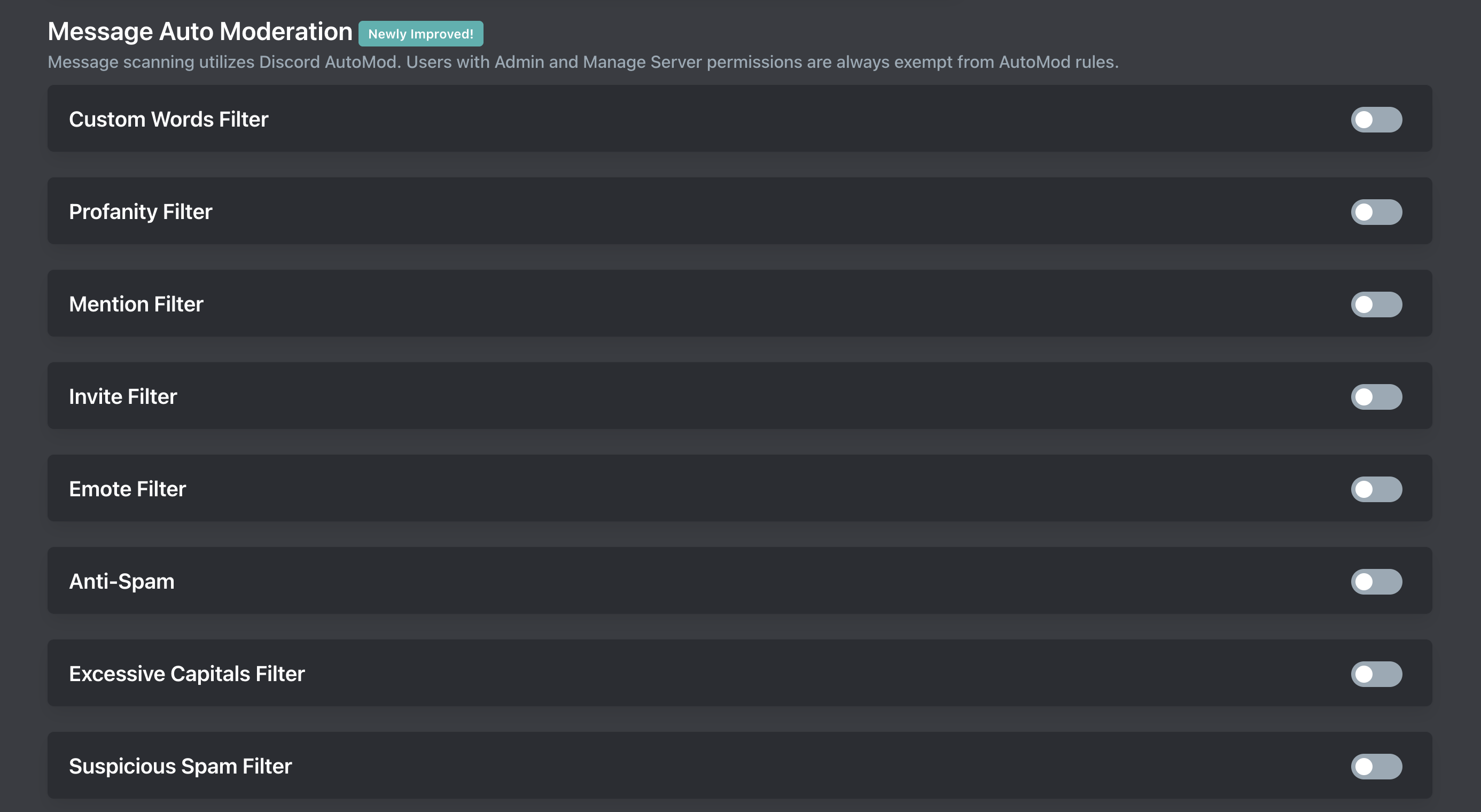
Arcane builds upon Discord AutoMod to automatically prevent certain messages from being sent in your server.
Creating AutoMod Rules
Some AutoMod filters have required settings. Make sure you click into the filter and fill out the required fields.
A punishment and log channel are optional but nice to have.
Removing AutoMod Rules
TIP
Sometimes Arcane will not remove the filter so you will need to go into your Discord server settings (desktop only) -> safety setup -> AutoMod. If you're on mobile you can disable it by using the Discord web app: https://discord.com/app
You can disable the AutoMod filter on the dashboard.
Filter Types
Custom Words Filter
The Custom Words Filter is used to block specific words or phrases. Reference Discord documentation for tips on how to format.
Profanity Filter
The Profanity Filter blocks obscence profanity in your server. Including but not limited to, profanity, slurs, and sexual content. The list of profane words is managed by Discord.
If you want to block more or less then use the Custom Words Filter.
Mention Filter
Block messages which contain a large amount of mentions (@everyone, @here, roles, and members).
Invite Filter
The Invite Filter blocks members in your server from posting invites to other servers. By default this also blocks invites to your server so make sure to whitelist your invites.
Invites should be in the format discord.gg/invite
Emote Filter
The Emote Filter blocks members from sending messages with tons of emotes.
Anti-Spam
Prevent members from sending many messages in a short period. We recommend 5 messages every 4 to 5 seconds.
Excessive Capitals Filter
The Excessive Capitals Filter blocks messages which contain a large amount of capital letters (60% or more). Only removes messages with 5 or more characters.
Suspicious Spam Filter
The Suspicious Spam Filter will block messages containing suspected spam and phishing links. The list of spam and phishing links is managed by Discord.