Custom Commands Setup
TIP
Setup is done on the dashboard.
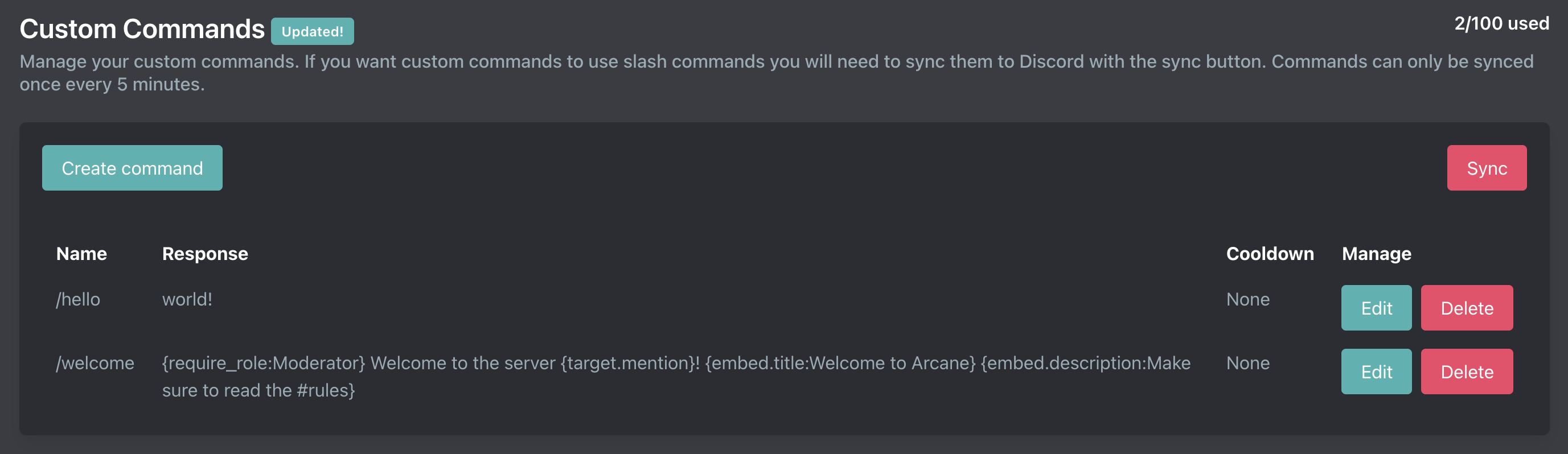
Creating a custom command
Name
The command name should NOT include a prefix. So if you want to make /hello or !hello the command name is just "hello". Custom commands use your server's prefix.
Response
Responses can utilize our tag system. See some of our example commands here.
Cooldown
The cooldown limits how often the custom command can be ran by a single user. A cooldown is not necessary.
NSFW
DANGER
Failing to enable this risks server blacklist for violating Arcane and Discord ToS.
If a custom command outputs NSFW content, enable the NSFW toggle. This will restrict the command to NSFW-marked channels only.
Limits
| Tier | Total CC |
|---|---|
| Free | 5 |
| Premium | 100 |
Sync commands
You can sync commands to your Discord server by using the "Sync commands" button. This will instruct Arcane to create the slash commands in your server.
Updating a custom command
Updating a command is done on the same page as creating a custom command.
You cannot change the name of a command after it is created. You will need to make a new command and delete the previous command if you need to rename a command.
Deleting a custom command
Deleting a command is done on the same page as creating a custom command. Please note that deleting a command cannot be undone so save your responses in case you need them in the future.