Custom Bots
TIP
Setup is done on the dashboard.
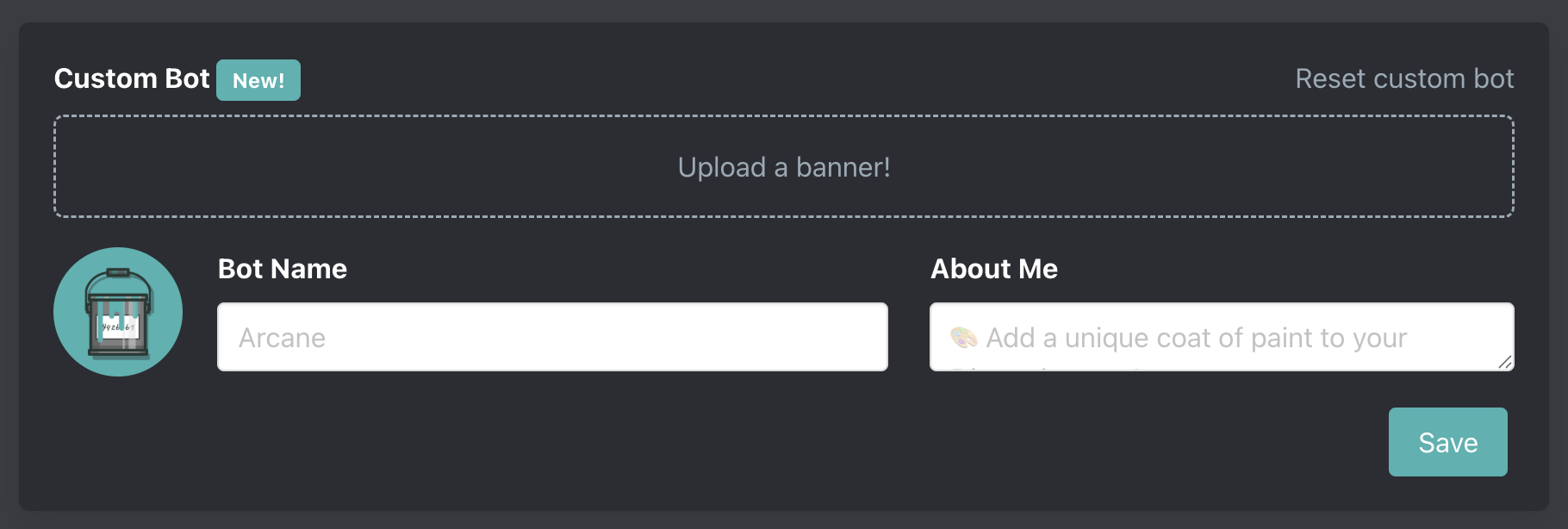
Arcane's Custom Bot feature allows you to set a custom name, avatar, banner, and about me to personalize Arcane for your server.
Settings
Use the save button to tell Arcane to sync your settings to Discord. Discord limits how frequently Arcane can update it's avatar, banner, and nickname so you may need to try again later to sync your changes.
Name
Names must be between 1 and 32 characters long.
Avatar
To upload an avatar click you just need to click on the existing avatar. Avatars can be a PNG, JPG, or GIF. Must be under 8MB in size.
Banner
To upload a banner click you just need to click on the existing banner. Discord recommends a PNG, JPG, or GIF that is at least 600x240px. Must be under 10MB in size.
About Me
About me must be between 0 and 400 characters.
FAQ
Do I need to share a token or invite another bot?
No. We do not run Arcane on your own bot. Arcane Premium's will modify its name, avatar, and other properties for just your server. All you need to do is invite Arcane Premium & set up your custom bot!
Can members tell we use Arcane?
Yes. Arcane Premium modifies its name, avatar, and other properties just for your server. Similar to how you can view a members original profile when clicking on their avatar or profile.
Moderation / What's allowed
NO NSFW CONTENT
NSFW or any image we deem inappropriate will result in a permanent blacklist from Arcane & Arcane Premium.
You can report an inappropriate custom bot in our support server.
All names, avatars, banners, and about me's are moderated. If you wouldn't show it to a toddler and your grandmother then it's probably not allowed.
What about the playing status?
The playing status cannot be changed.